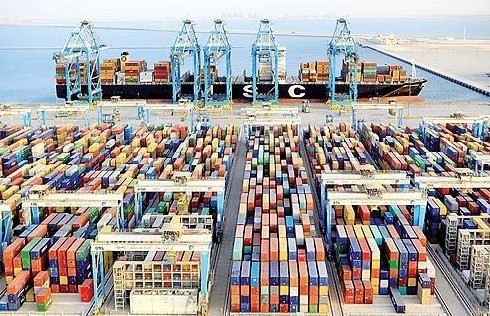
Registration of goods order for importing goods to the country according to Iran’s trade law should be done through the authorities determined by the law. The registration of the goods order was done through the Trade Organization of the Ministry of Security, and it is a document that authorizes the goods to enter Iran, and to clear the goods from customs, the relevant permits must be obtained. Some goods, according to the law, need to obtain a permit from the institution before importation. are relevant.
In the past, order registration was done manually, and business operators had to go to the trade delegations located in 31 provinces of the country to register their request. From June 1998, a system was launched at the address top.ir, where all activities were done electronically and online.
Natural and legal persons who have the authority to import and export goods should refer to the system and after receiving the user code and password, register the request and provide identity information and the origin and destination of the goods.
The employees of the Ministry of Security also review the requests and after correcting the defects, approve them so that the applicant’s order registration file is referred to the acting bank, customs and finance department and the institutions determined by the law.
Types of product order registration
1. SIGHT DOCUMENT CREDIT
2. DEFERRED LETTER OF CREDIT
3. USANCE CREDIT
4. Order registration based on export and letter of credit without currency transfer
5. Registration of import order against export is done if a valid export license is presented and the export value is stamped with the customs stamp and the date of the license is the same as the imported cottage.
Different parts of the trading system:
A) Cross-border
b) Domestic trade
Cross-border trade:
The processes related to export, import and transit are all related to the cross-border trade sector. Cross-border trade in the import of goods is divided into 5 major groups:
*Commercial operations that include obtaining entry permits and registering goods orders
*Foreign exchange issues, which include the declaration of currency origin and foreign exchange operations
*Customs matters which include declaration of goods and clearance of goods from customs
* International logistics, which includes the international transportation of goods
*Domestic logistics operation that refers to the domestic transportation of goods in the country.
Registration guide in the system
In the first step, you must enter www.ntsw.ir. To register, it is better to use Firefox or Chrome browser and do not use explorer as much as possible.

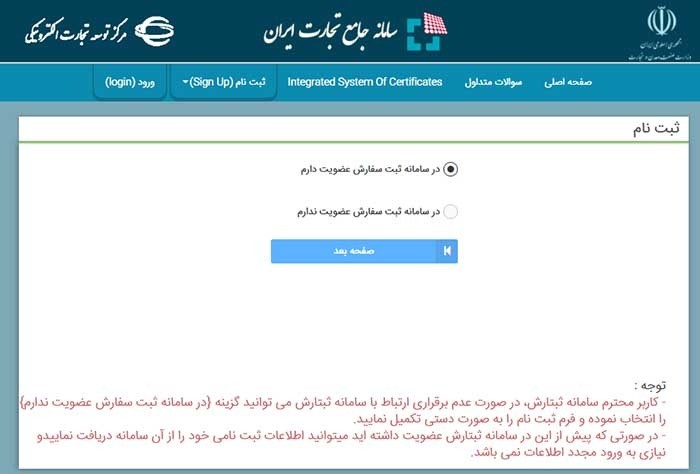
1_ Enter the site and click on registration
2. If you have already been a member of the product order registration system and your identity information has been registered there, check the first section (I am a member of the order registration system) and if you are not a member of the order registration system, select the option (in the order registration system I don’t have a membership), then click the next page option until the page you see in the picture below is displayed.
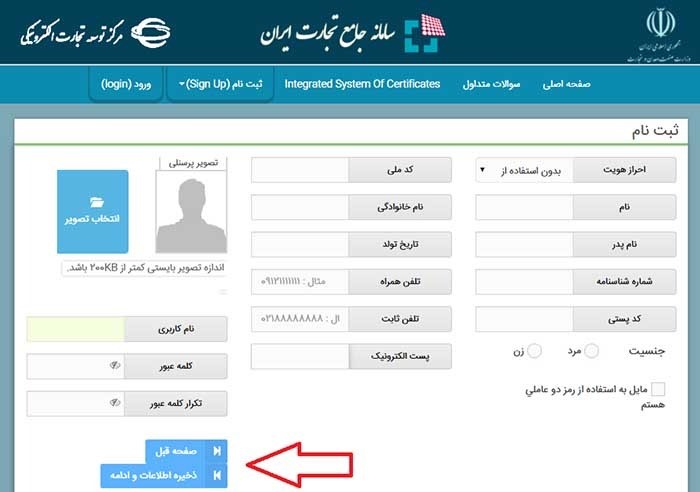
3. In this section, the identity information of natural persons must be entered. This information includes the following:
name
Applicant’s last name
10-digit national code
father’s name
Id
10-digit postal code
Date of birth
Cellular phone
E-mail
Gender determination
Next, you need to select the user code and password and enter them in the left part of the screen, which can be seen in the image.
Upload your personal picture to the system through “choose picture”. When choosing an image, you must be careful that the size of your image is less than 200 KB so that it has enough clarity.
4. After entering the information, click on the “Save information and continue” section.
* Your username in the system is your national code, by which you will be identified and all responsibilities will be directed to the owner of the national code.
* Your password in the system must be at least eight characters long. Out of these 8 characters, three characters must be numbers or symbols or capital letters.
* You must be careful when entering information about phone numbers and numbers, and if possible, the mobile number you register in the system belongs to a person whose national code is entered in the system.
5. After entering the information, the “information confirmation” message will be seen on the page.
*When entering online, the date of birth will be checked with the civil registration center. So, be careful in entering it.
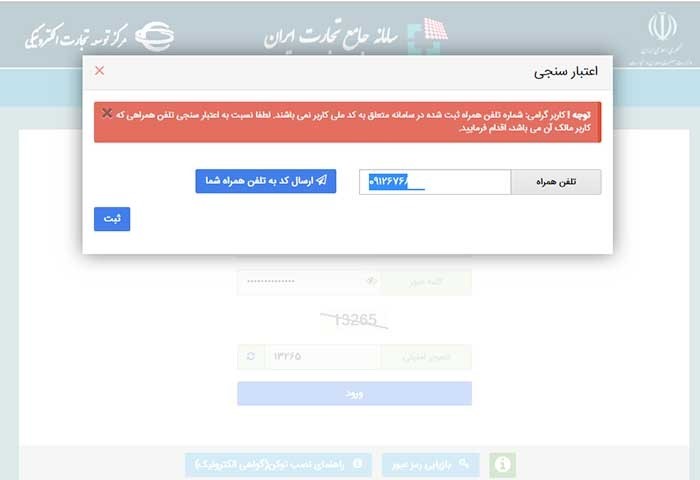
6. Enter the mobile number and then a validation code will be sent to you, which you must enter.
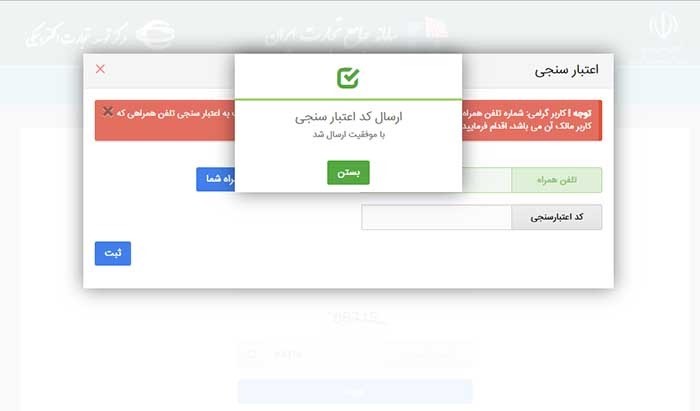
7. If your mobile number belongs to the national code entered, a 4-digit validation code will be sent through the system. The validation was not sent to you, try again in three minutes and click the option to resend the validation code.
* All SMS notifications will be made through the registered number
8. After saving the information, click the “next page” option to enter the next section.
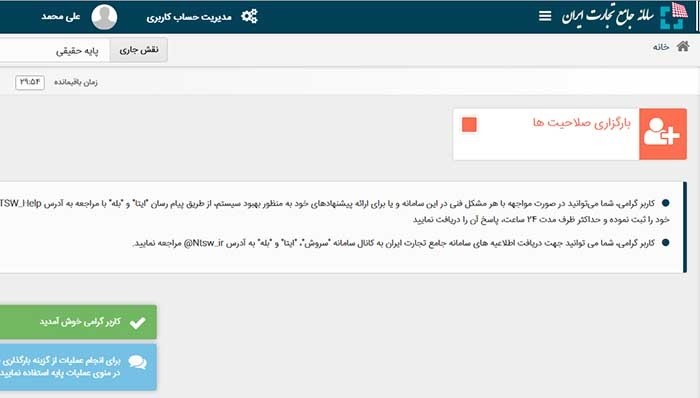
9. The basic operations section that you see above includes the following set of options:
Upload qualifications
introduction of a company
Management of agency offers
Cartable management
Foreign exchange operations

10. In the “Upload Qualifications” section, enter the information related to the commercial card and activity licenses in the regions and case licenses, so that the verification is done.
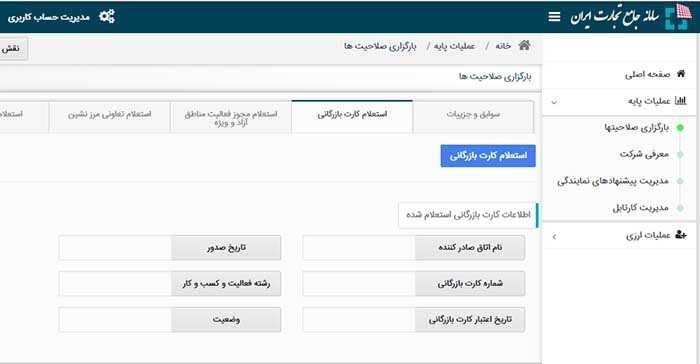
11. Business card inquiry through the fields above
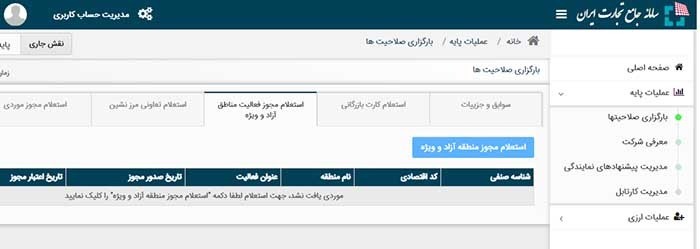
12. Enter information about the license to operate in special free zones (if you have one).
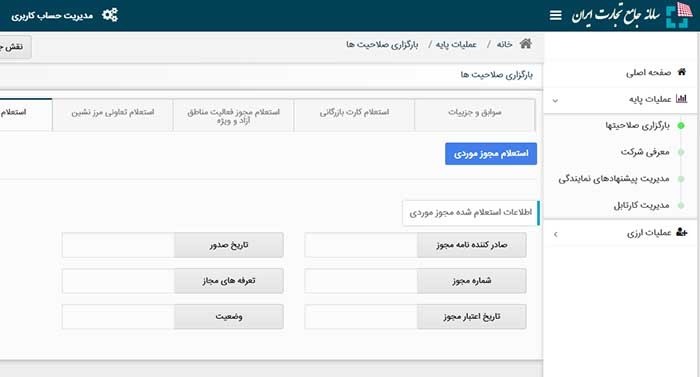
13. If you have a case license, enter its information in the “case license inquiry” section.
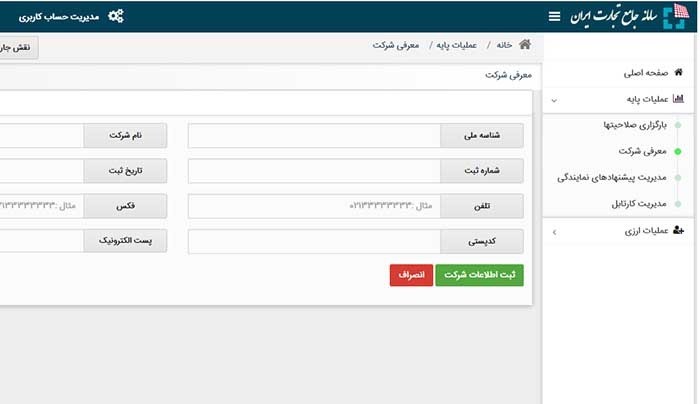
14. The above section is related to the introduction of the company, which you must complete after entering the comprehensive system of Iranian trade.
* After completing the information, online inquiry from the registration organization Rackets are made to check whether or not the input information matches.

15. Enter the national ID of the company. If you don’t have it, get its information from www.ilenc.ir.
– Company registration number must be entered. If you don’t have it, get it from the website of the official newspaper of the Judiciary (www.rrk.ir/News/NewsList.aspx).
– Company phone
– The 10-digit postal code of the company’s location, which can be checked online with the postal system.
– Company Name
– Valid fax and e-mail address
• Note that if the name of the CEO has changed but the system shows the previous name, the National Card information of the CEO of the company must be sent to the backup and after the backup is modified, the user should check and update the identity information. If the message refers to the mismatch between the CEO’s name and the national code, documents must be uploaded to the system that clearly state the CEO’s name and position.
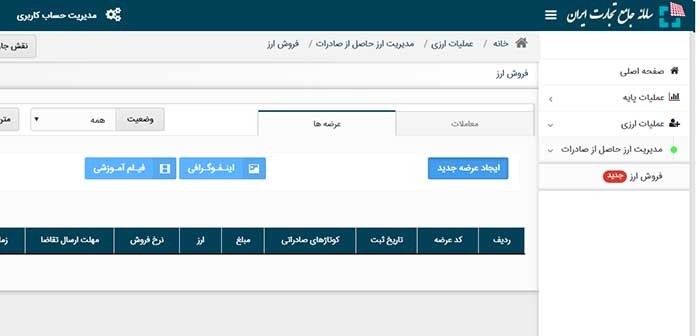
16. If you intend to export, you must enter the supply information in the section of the management section of the currency obtained from the export in the system, according to the information introduced in the photo above.

17. By clicking on the “User account management” section, the information requested from you from the civil registration system will be displayed.
• The information on the right table cannot be changed and the information on the left table can be changed
• In order to speed up the registration processes of import and export of goods, business operators in the country, this opportunity has been institutionalized in the trade system so that traders, if they wish, can grant representation in their desired fields.
• If you intend to grant representation to a natural or legal person in 31 provinces of the country, their information must be uploaded in the system and the relevant person must be a user of the trading system.